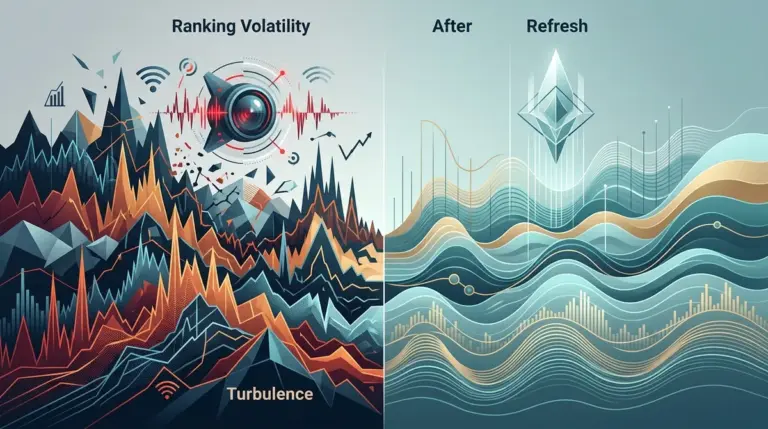
A landing page that bounces between position 4 and 24 isn’t just underperforming; it is failing a stability test. While a steady decline suggests a slow loss of relevance or authority, erratic jumping—volatility—indicates that Google’s ranking algorithm is struggling to categorize the page or that the competitive landscape is in a state of flux. To fix a volatile page, you cannot rely on standard SEO checklists. You must audit for instability signals, intent shifts, and technical friction that triggers re-indexing cycles. These repeated ranking swings can be a strong signal that the page is struggling to maintain its position.
Diagnosing the Flux: Macro vs. Micro Volatility
Before touching the page code, determine if the volatility is isolated. If every page in your vertical is swinging 10+ positions daily, you are dealing with macro volatility, likely triggered by a core algorithm update or a broad category re-evaluation. However, if your page is the only one jittering while competitors remain static, the issue is micro-level and specific to your URL’s signals.
Best for: Identifying whether to wait out an update or take immediate corrective action.
Check the SERP volatility index for your specific niche. High volatility across the board means Google is testing new ranking weights. If the index is calm but your page is erratic, look for internal conflicts like canonical loops, fluctuating server response times, or "content freshness" signals that are triggering frequent re-crawls without providing new value.
Evaluating Intent Stability and SERP Feature Displacement
Google often uses volatility to "test" different types of content for a single query. If you see a "How-to" guide replaced by a "Product Category" page, and then back again, the intent of the keyword is shifting. Your landing page may be caught in the crossfire because it attempts to satisfy too many intents at once. This situation often points to an underlying intent mismatch problem that needs addressing.
Analyze the top three results during a "peak" (when you are ranking well) versus a "trough" (when you drop). If the trough periods coincide with Google showing more video carousels or "People Also Ask" blocks, your page is losing real estate to SERP features, not necessarily to direct competitors. This requires a structural shift in your content to target those specific features, such as adding SERP Sensor markup or concise FAQ sections that Google can easily parse for Rich Snippets.
Warning: Do not make massive content overhauls during a period of high SERP volatility. Changing 50% of your copy while Google is already re-evaluating your niche can lead to a permanent "de-indexing" of your previous signals, making it impossible to tell what actually caused the recovery or the final drop.
Technical Friction: Rendering and Core Web Vital Spikes
Volatility is frequently a symptom of inconsistent page rendering. If your page relies heavily on client-side JavaScript, Google’s "second wave" of indexing—where it renders the full visual page—might be failing intermittently. This creates a loop where the HTML version ranks well, but the fully rendered version triggers a quality flag, causing the page to drop until the next clean crawl.
- Server Response Time (TTFB): If your TTFB fluctuates by more than 200ms between crawls, Google may deprioritize the page during high-load periods.
- Cumulative Layout Shift (CLS): A high CLS score often leads to "unstable" rankings because the user experience is deemed unpredictable.
- DOM Size: Excessive DOM nodes (over 1,500) slow down the rendering engine, leading to partial crawls where key SEO elements (like H2s or internal links) are missed.
The Competitive Delta: What Changed in the Top 3?
When your page drops, something else rises. Audit the "gainers" during your volatility windows. Are they adding more long-form data? Are they stripping away heavy imagery for faster mobile loads? Often, volatility is a sign that your "authority gap" is narrowing. If a competitor with lower Domain Authority suddenly jumps above you, Google is likely prioritizing "content accuracy" or "load speed" over traditional backlink strength for that specific query.
Look specifically at internal linking structures. Volatile pages often suffer from "orphan-like" behavior where they lack sufficient internal juice to maintain a stable position. Ensure the page is linked from high-traffic, high-authority nodes within your own site architecture to provide a "stability floor."
Content Decay and Freshness Signals
For certain queries, Google demands a "Freshness" score. If your page was built on a "2023 Guide" framework and it is now mid-2024, the volatility might be Google’s way of testing if users still find your dated content useful. If the click-through rate (CTR) drops during these tests, the volatility will eventually resolve into a permanent lower ranking.
Check your Search Console data for "Average Position" vs. "CTR." If your position is volatile but your CTR remains high when you are in the top 5, the content is still relevant, and the issue is likely technical or backlink-related. If CTR is low even when you rank well, the meta title and description are failing to meet the current user intent, triggering the algorithm to "try" other pages in your spot.
Building a Volatility Response Protocol
To stabilize a landing page, you must move from reactive tweaking to systematic hardening. Start by stabilizing the technical environment—fix the TTFB and ensure the DOM is lean. Next, align the content strictly with the dominant intent shown in the top 3 results. Finally, reinforce the page with 3–5 high-quality internal links from stable, top-ranking pages on your site. This creates a cluster of relevance that is harder for the algorithm to shake during minor updates. Monitor the SERP Sensor signals daily; if the volatility persists after these fixes, the issue is likely a broader site-wide trust problem or a fundamental shift in how Google perceives your entire niche.
Frequently Asked Questions
How long should I wait before changing a volatile page?
Wait at least 7 to 14 days. Google’s testing phase for a specific URL often lasts two weeks. Changing the page too early interrupts the data collection process and can lead to a permanent ranking suppression.
Can backlinks cause ranking volatility?
Yes. If you are gaining or losing a high volume of low-quality links, or if "toxic" links are being disavowed by Google in real-time, your page will bounce. This is known as the "link echo" effect where the algorithm re-calculates your authority score multiple times a week.
Does high volatility always mean a penalty is coming?
No. Volatility is often a sign of "discovery." Google is trying to find the right "home" for your page. It only becomes a negative signal if the page consistently fails to satisfy user metrics (like dwell time and bounce rate) during its "up" periods.
Is mobile-first indexing a factor in volatility?
Frequently. If your desktop site is optimized but your mobile version has hidden content or slow-loading elements, you will see volatility as Google prioritizes the mobile crawl. Ensure your mobile "above the fold" content is identical in value to the desktop version.