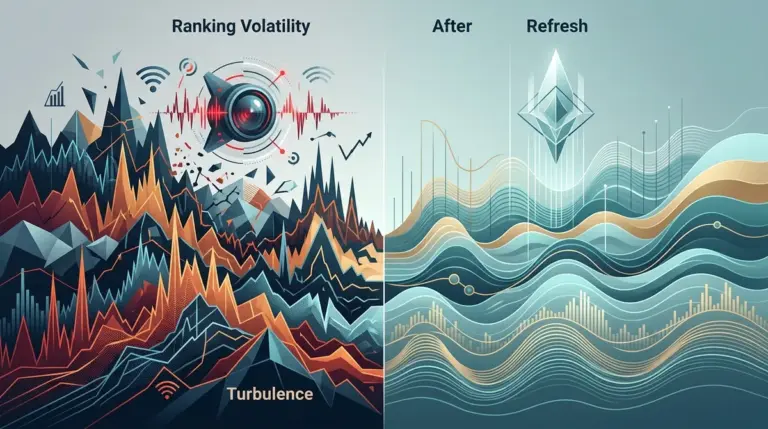
Ranking volatility is the primary indicator of search engine uncertainty. When a specific URL begins to bounce between positions—moving from rank 3 to 12 and back again within a 48-hour window—it is rarely a sign of a permanent penalty. Instead, it signals that the search engine is recalibrating its relevance model for a specific query or that your page is failing to maintain its "relevance threshold" against new competitive data. Diagnosing this requires moving beyond simple rank tracking and into the analysis of SERP instability signals. Understanding what repeated ranking swings mean for a landing page is key to diagnosing the root cause.
Differentiating Global Fluctuations from URL-Specific Decay
Before auditing a single line of code, you must determine if the volatility is localized to your page or systemic across the entire SERP. High volatility scores across an entire niche suggest a broad algorithmic update or a fundamental shift in how Google interprets a specific category of keywords. If your page is the only one dropping while the rest of the top ten remains static, the issue is internal. It's vital to distinguish between page volatility versus sitewide volatility to determine the scope of the problem.
Best for: Identifying the "blast radius" of ranking shifts and determining if technical fixes or content refreshes are required.
To isolate the cause, monitor the volatility index for your specific keyword cluster. If the index shows a "hot" state (high turbulence), the search engine is likely testing new SERP features—such as AI Overviews, expanded People Also Ask (PAA) boxes, or local map packs—which displace organic results. In these instances, your "drop" might actually be a loss of "pixels" rather than a loss of "rank."
Analyzing Intent Fracture and SERP Feature Displacement
Volatility often occurs when Google detects an "intent fracture." This happens when the search engine is no longer certain if a user wants a transactional page (a product category) or an informational page (a "how-to" guide). If you see your informational guide being replaced by product grids, the volatility is a signal that the keyword's intent has shifted.
- Feature Shakeups: Check if a new Featured Snippet has been awarded to a competitor. This often causes "yo-yoing" where your page drops to position 2 or 3, then jumps back to 1 as Google tests user click-through rates (CTR).
- Video and Image Injections: Sudden volatility can be triggered by the injection of "Highly Rated" product carousels or YouTube shorts into the middle of the SERP, pushing organic results below the fold.
- Local Pack Expansion: For queries with even slight local intent, an expanded map pack can cause organic volatility as Google prioritizes proximity over traditional authority.
The Impact of Freshness and Decay Signals
Google employs a "Query Deserves Freshness" (QDF) layer for many topics. If your page has historically performed well but begins to show erratic movement, it may have crossed a decay threshold. This isn't a slow decline; it’s a volatile one. The algorithm tests newer content in your slot to see if it satisfies users better. If the new content fails, you move back up. This cycle continues until a "fresher" piece of content proves it can maintain a higher engagement rate.
Pro Tip: When diagnosing volatility, look for the "48-hour stabilizing period." If a page drops and doesn't return to its baseline within two days, the search engine has likely found a more suitable candidate for that intent. If it continues to bounce, the SERP is in a "testing phase," and you should avoid making major on-page changes until the volatility index for that niche cools down.
Technical Triggers of Page-Level Instability
Not all volatility is algorithmic. Technical instability can cause a page to flicker in and out of the index or lose its "canonical" status. If Google’s crawlers encounter intermittent 5xx errors or slow Time to First Byte (TTFB) during a re-indexing pass, the page may be temporarily demoted.
Critical Check: Inspect your canonical tags and internal linking structure. If a page is being linked to with multiple URL variations (e.g., with and without trailing slashes, or via different HTTP protocols), Google may struggle to pick a primary version. This "canonical collision" results in different versions of the page competing for the same spot, leading to rapid, erratic ranking changes.
Assessing Core Web Vital Shifts
While Core Web Vitals (CWV) are often considered a minor tie-breaker, significant regressions in Cumulative Layout Shift (CLS) can trigger volatility. If a page update introduces a heavy hero image or an unstable ad unit that causes the content to jump, user signals will plummet. Google monitors these real-world interactions through Chrome User Experience Report (CrUX) data; a sudden spike in "bad" sessions can lead to immediate, unstable ranking drops as the algorithm attempts to protect the user experience.
Competitive Displacement and Content Gaps
If your technical foundation is solid and the niche volatility is low, the cause of your page-level movement is likely a competitor out-optimizing you on a granular level. Use a "diff" analysis to compare your page against the one that recently moved into your spot. Focus on:
Information Density: Has the competitor added more specific, data-driven points that your page lacks? Google favors "high-utility" content that answers secondary questions within the same URL.
Entity Coverage: Analyze the entities (people, places, concepts) mentioned in the top-ranking results. If a competitor has mapped their content more closely to the Knowledge Graph for that topic, your page will appear less "authoritative" by comparison, leading to instability as the algorithm re-evaluates your relevance.
Execute a Volatility Recovery Plan
Once you have identified the source of the instability, you must act systematically. Do not change everything at once, as this makes it impossible to identify what actually fixed the issue. Follow this sequence to stabilize a volatile URL:
1. Stabilize the Technical Layer: Ensure the page loads in under 2.5 seconds (LCP) and that the canonical tag is self-referencing and consistent across all internal links.
2. Refresh the "Freshness" Signal: Update the page with new data, a revised introduction, and updated internal links. This signals to Google that the content is being maintained and is ready for a "re-test."
3. Match the New Intent: If the SERP has shifted toward "commercial" intent, add a comparison table or a pricing section to your informational guide to capture the changing user needs.
4. Monitor the Re-entry: Watch the volatility sensor for your specific keywords. If your page stabilizes at a lower position, you have a relevance gap. If it continues to bounce, the SERP itself is still undergoing a transition, and further patience is required.
Volatility Diagnosis FAQ
How long should I wait before reacting to a ranking drop?
Wait at least 48 to 72 hours. Search engines often run "split tests" where they temporarily swap rankings to gather user engagement data. Reacting too quickly can lead to "over-optimization" based on temporary data noise.
Can high volatility be a good sign?
Yes. If a page that was previously stuck on page two or three starts showing high volatility, it means Google is testing it in the top ten. This is your window to improve the page's CTR and on-page engagement to "lock in" the higher position.
What is the difference between a "ranking drop" and "volatility"?
A ranking drop is a sustained move to a lower position (e.g., from 2 to 15 for a week). Volatility is characterized by rapid, frequent changes (e.g., 3 to 12 to 5 to 14 over three days). Drops usually require content or backlink fixes; volatility usually requires technical or intent alignment.
Does site-wide volatility affect individual page rankings?
Absolutely. If your site’s overall "authority score" or "trust signal" is questioned during a core update, every page will exhibit volatility regardless of individual page quality. In this case, you must address site-wide issues like E-E-A-T or aggressive ad placements rather than fixing individual URLs.