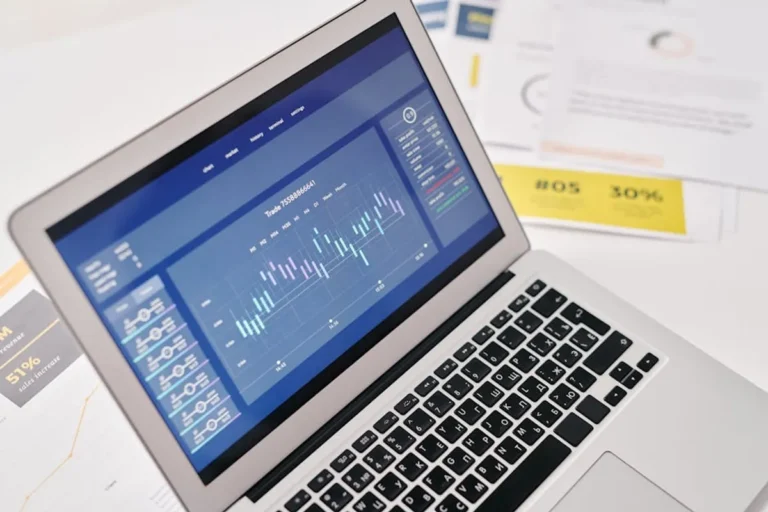
SEO professionals often operate in data silos, examining rank tracking reports independently of Google Search Console (GSC) insights. This fragmented approach misses critical opportunities to understand true search performance and diagnose issues with precision. Integrating rank tracking data with GSC provides a comprehensive view, allowing for more informed decisions on keyword strategy, content optimization, and technical SEO interventions. The combined dataset moves beyond surface-level metrics, revealing the 'why' behind ranking fluctuations and user engagement patterns.
Understanding Your Data Sources
Effective integration begins with a clear understanding of what each platform delivers. While both tools report on keyword performance, their methodologies and data granularity differ significantly, making them complementary rather than redundant.
Rank Tracking Data: Granular Position Monitoring
Rank tracking platforms offer daily, sometimes hourly, snapshots of keyword positions in specific geographic locations and across various device types. This data is critical for:
- Daily Volatility Detection: Identifying immediate shifts in SERP positions, often indicating algorithm updates, competitive movements, or technical issues.
- Competitor Benchmarking: Tracking how your keywords perform against specific competitors, revealing their strategic moves or content strengths.
- SERP Feature Analysis: Monitoring your visibility in rich snippets, featured snippets, local packs, and other non-standard SERP elements.
- Targeted Keyword Performance: Providing precise position data for a defined set of keywords, allowing for granular performance assessment.
Google Search Console: User Behavior and Index Status
GSC provides a direct line to Google's perspective on your site's performance and indexation status. Its data focuses on:
- Query Performance: Showing actual search queries users typed to find your site, along with impressions, clicks, Click-Through Rate (CTR), and average position. This data is often broader than your tracked keyword list.
- Index Coverage: Reporting on which pages are indexed, any indexing issues, and reasons for exclusion.
- Core Web Vitals: Providing crucial metrics on page experience, directly impacting user perception and potentially rankings.
- Manual Actions & Security Issues: Alerting you to critical problems that could severely impact visibility.
- Sitemaps & Removals: Tools for managing how Google crawls and indexes your content.
Synergistic Analysis: Bridging the Data Gap
The true power emerges when these two datasets are analyzed in conjunction. Rank tracking excels at showing 'where you are' on the SERP, while GSC reveals 'how users interact' with your presence and 'how Google sees' your site. This combined view allows for a more robust diagnostic and strategic approach.
Identifying Keyword Performance Discrepancies
One common scenario involves a keyword showing a strong position in your rank tracker, but GSC reveals low clicks or CTR for related queries. This discrepancy signals an optimization opportunity:
- Low CTR, High Rank: Investigate your title tags and meta descriptions in the SERP. Are they compelling? Do they accurately reflect user intent? GSC's query data can highlight variations of the keyword that are attracting impressions but not clicks, indicating a need for more relevant copy.
- High Impressions, Low Rank (GSC): GSC might show queries where your page receives many impressions but ranks on page two or three. These are "striking distance" keywords. Your rank tracker can then be used to add these specific queries and monitor their daily movement closely as you optimize content.
Diagnosing Sudden Rank Drops and Volatility
When your rank tracker signals a significant position drop for key terms, GSC becomes the diagnostic tool:
Pro Tip for Diagnosing Rank Drops: If rank tracking data shows a sudden, widespread drop across multiple keywords, immediately check Google Search Console's "Performance" report for an overall decline in impressions and clicks, and then the "Index Coverage" report for new errors or a drop in indexed pages. This sequence helps differentiate between a content-specific issue and a broader technical or indexation problem requiring urgent attention.
- Technical Issues: GSC's "Index Coverage" and "Core Web Vitals" reports can identify crawl errors, server issues, or poor page experience metrics that correlate with ranking declines. A sudden increase in "Excluded" pages, for instance, points directly to an indexing problem.
- Content Degradation: A rank drop for a specific content piece might be confirmed by GSC showing a decline in impressions and clicks for queries related to that page. This suggests the content may no longer meet user intent as effectively or has been outranked by competitors.
- Algorithm Updates: While GSC doesn't explicitly flag updates, a widespread, simultaneous drop across many keywords and pages in GSC's performance report, coinciding with known algorithm rollout dates, strongly suggests an algorithmic impact.
Actionable Insights from Combined Data
The integration of rank tracking and GSC data enables several strategic optimizations:
- Content Gap Analysis: GSC's "Queries" report often reveals terms for which your site ranks but doesn't explicitly target. These are opportunities for new content or content expansion, which can then be monitored with your rank tracker.
- Optimizing Existing Content: For pages with stable rankings but suboptimal CTR (identified via GSC), use rank tracking to confirm position stability, then focus on improving title tags, meta descriptions, and on-page content to better match user intent and increase click-through.
- Monitoring SERP Feature Gains: If your rank tracker shows you've gained a featured snippet, GSC can validate the impact by tracking the resulting increase in impressions and clicks for that specific query.
- Competitor Strategy Adaptation: When your rank tracker shows a competitor gaining ground on shared keywords, GSC can help you understand if your own site's performance for those terms is suffering, prompting a review of your content and backlink profile.
Refining Your SEO Strategy with Integrated Data
Moving beyond reactive fixes, a combined data approach fosters a proactive SEO strategy. By regularly comparing rank movements with user behavior and Google's indexing signals, you can:
- Prioritize Efforts: Focus resources on keywords and pages that show the most significant discrepancies or opportunities, whether it's optimizing for higher CTR, improving technical performance, or expanding content.
- Measure Impact Accurately: Understand if a ranking gain translates into actual traffic and conversions, or if a traffic drop is due to position loss versus other factors like seasonality or indexing issues.
- Predict Trends: Early detection of minor rank fluctuations across a cluster of keywords can sometimes precede broader shifts in user behavior or algorithm changes, allowing for preemptive adjustments.
Frequently Asked Questions
Why can my rank tracker show a different position than Google Search Console's "average position"?
Rank trackers typically provide a daily, specific snapshot for a defined location and device. GSC's "average position" is an aggregate metric, averaged over a time period, across various user locations, devices, and even personalized search results, offering a broader, less granular view.
How often should I compare rank tracking data with Google Search Console?
For critical keywords and pages, a weekly review is advisable to catch emerging trends or issues. For broader strategic analysis, a monthly or quarterly deep dive helps identify long-term shifts and assess overall strategy effectiveness.
Can I automate the integration of these two data sources?
While direct, native integration between all rank trackers and GSC isn't universal, many platforms offer API access or CSV export options. This allows for custom dashboards or reporting tools to combine and visualize the data in a unified interface, streamlining analysis.
What if my rank tracker shows good positions, but Google Search Console shows zero impressions?
This typically indicates an indexing issue. First, verify the page is actually indexed in GSC's "Index Coverage" report or by using the URL Inspection tool. If not indexed, resolve any crawl errors. If indexed, the discrepancy might stem from the keyword having extremely low search volume or the rank tracker reporting on a non-standard SERP (e.g., a very specific local result not broadly relevant).